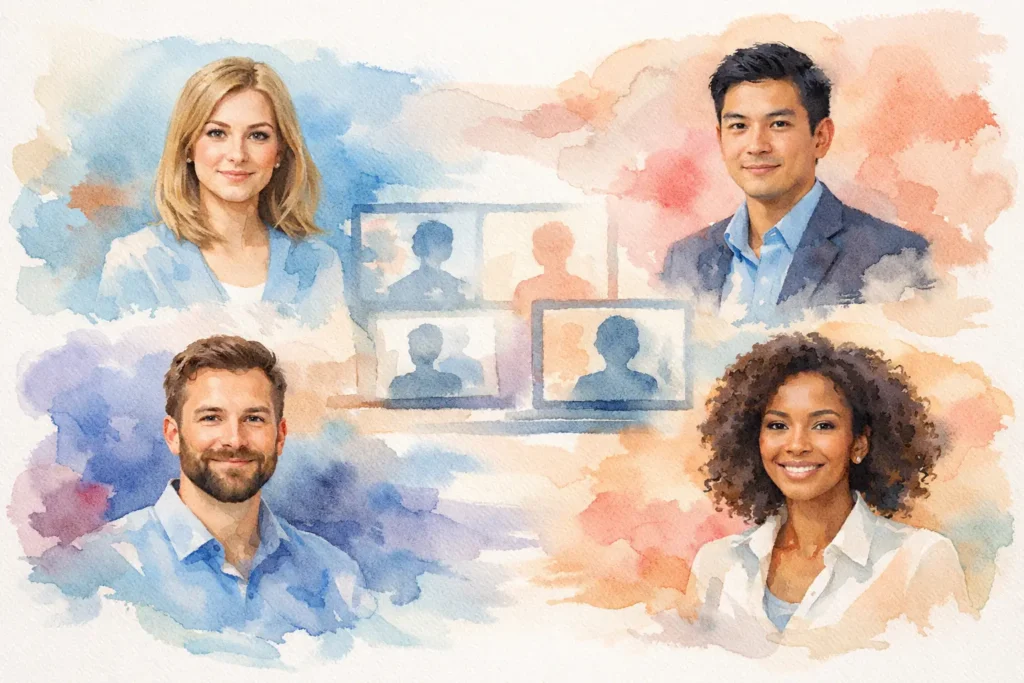
A remote team can have a sharp website, a strong pitch deck, and smart people doing excellent work – then lose visual credibility in the About page grid. Professional headshots for remote teams solve a small but highly visible problem: when every person is represented differently, the company can look less organized than it actually is.
This is not about making everyone look identical. It is about giving clients, candidates, investors, and partners a clear sense that they are dealing with one thoughtful organization. A consistent headshot program makes that impression before anyone joins a call.
Why remote teams need a headshot standard
In an office, people build familiarity through hallway conversations, meetings, and daily proximity. Remote companies have fewer of those casual touchpoints. Faces on a website, LinkedIn profile, speaker bio, proposal, or Slack directory carry more weight because they often introduce the person before a conversation happens.
When one employee has a cropped vacation photo, another has an AI-generated portrait, and a third has an old image taken in bad light, the issue is not vanity. It is clarity. The viewer has to work harder to understand the team, and the company loses an easy opportunity to look established and prepared.
A strong set of team portraits creates consistency without flattening personality. Each person should still look like themselves: approachable, capable, and comfortable. The shared elements – lighting, framing, background, color treatment, and level of polish – simply make the group feel connected.
That matters most for companies that sell expertise, trust, or relationships. Professional services firms, startups, agencies, financial teams, healthcare organizations, recruiting firms, and growing B2B companies all ask people to place confidence in individuals they may not meet in person. A good headshot helps make that first interaction feel more human.
What consistent professional headshots for remote teams look like
Consistency starts with decisions made before the camera comes out. A company does not need every image to use the exact same background or wardrobe palette, but it does need a clear visual direction.
For many teams, that means matching the crop, camera height, lighting style, and overall expression. Someone visiting the team page should immediately see that the images belong together, even if employees were photographed on different days or in different locations.
The right direction depends on the brand. A law firm may need a polished, restrained look. A creative agency may want more warmth and environmental context. A founder-led tech company might need portraits that feel modern and direct rather than overly formal. The goal is not to copy another company’s headshots. It is to choose a look that supports how your organization wants to be perceived.
A useful standard also leaves room for real people. Forcing everyone into the same pose or expression can make a team look stiff. Clear direction works better than rigid instructions: where to stand, how to angle the body, where to look, and how to relax into a natural expression. The final images should feel cohesive, not manufactured.
The background question
A simple studio background is often the easiest option for remote teams because it is timeless, easy to match, and works across websites, proposals, and social profiles. Neutral backgrounds also keep attention on the person.
An office setting can be a good choice when the space reinforces the brand. It can add context for a design firm, hospitality group, or established local business. The trade-off is that offices change. Furniture, paint, and branding can date a photo more quickly than a clean, neutral backdrop.
For distributed teams, virtual backgrounds or heavily edited composites are tempting. They can work in limited cases, but they often look inconsistent when source images vary. It is usually more effective to create a repeatable photo setup than to rely on post-production to solve every difference.
Choosing the right approach for a distributed company
There is no single best setup for every remote team. The practical choice comes down to team size, geography, hiring pace, and where the images will be used.
If most employees are in New York City or gather for an annual meeting, an on-location team headshot day is efficient. A photographer can set up a consistent station in the office, hotel meeting room, or event space and guide each person through a short, focused session. This approach is especially useful when the company needs a large volume of images completed in a limited window.
If team members are spread across the country, a studio-based standard can be more sustainable. The company defines the style, then gives employees a simple process for booking a session in their city or during visits to headquarters. This takes more coordination, but it prevents a single team photo day from becoming outdated as soon as new hires arrive.
A hybrid plan is often the most realistic. Photograph the local team in one session, then use a documented visual brief for remote employees. That brief should cover the preferred crop, backdrop, lighting mood, wardrobe guidance, and final file requirements. It gives everyone a shared target without pretending every city and photographer will produce a perfect duplicate.
For teams that use independent local photographers, quality control matters. Ask for sample images before committing to a larger batch. A single approved test portrait can reveal whether the lighting, lens choice, editing, and posing are compatible with the existing gallery.
Make the session easy on people who dislike being photographed
Most employees are not models, and they should not have to be. The best corporate headshot process respects people’s time and removes uncertainty before they arrive.
Start with a short, practical prep note. Tell employees what the image is for, how long the session will take, and what to wear. Solid colors, well-fitting clothing, and layers that reflect the company’s level of formality are usually safe choices. Small patterns can work, but tight stripes, large logos, and overly reflective fabrics tend to distract.
It also helps to be honest about what happens during the session. People want to know whether they will be told how to stand, what to do with their hands, and whether they can see images as they go. The answer should be yes. Clear direction and honest feedback make a meaningful difference, especially for someone who arrives convinced they are not photogenic.
A photographer should adjust posture, expression, and camera angle in real time rather than asking employees to guess. Tiny changes can make a portrait feel more confident: turning the shoulders slightly, lowering the chin a touch, softening the eyes, or taking a moment between frames to reset. That guidance is what turns a quick headshot station into a useful professional experience.
Give employees a reason to care
Company headshots are often framed as a branding requirement, but employees benefit directly. A current, well-made image improves their LinkedIn presence, speaking bio, internal profile, and professional visibility. When people understand that the photo is an asset for their own career as well as the company, participation becomes easier.
It is also worth offering a little choice. A team may need one primary image for the website, while employees may prefer a second crop for LinkedIn or a less formal use. Building in that flexibility shows respect for the person behind the title.
Plan for the images after photo day
The work does not end when the portraits are delivered. A team headshot program only stays effective if the company has a clear system for using and updating the images.
Decide where the final photos will live and who can access them. Keep web-ready files separate from high-resolution originals. Use consistent file names, such as first name, last name, and year, so marketing and HR are not searching through a folder of unnamed exports six months later.
Set a refresh policy, too. For many organizations, updating portraits every two to three years is reasonable. A new role, major appearance change, rebrand, or promotion may call for an earlier update. More importantly, make headshots part of onboarding. If new hires wait until the next all-hands event, the team page can become inconsistent quickly.
Avoid treating the image as interchangeable with a webcam screenshot or a casual social photo. Each has a place, but public-facing company profiles need a more deliberate standard. The portrait should communicate that the person is ready to represent the business.
The real return is trust
Professional headshots are not likely to close a deal on their own. But they support the conditions that make trust easier: recognition, consistency, confidence, and a sense that the people behind the company are real.
For remote teams, that value compounds. The same portraits appear in proposals, press mentions, LinkedIn posts, recruiting pages, conference materials, and client introductions. A considered image becomes part of how people remember your team.
Start with a standard that fits your brand, give people clear direction, and build a process that can grow with the company. The result should not be a wall of perfect faces. It should be a team that looks as credible, connected, and ready as it is.