A new hire starts on Monday. By Tuesday, they are listed on the company website, introduced in a client proposal, and appearing in a LinkedIn announcement. If their photo is missing, outdated, or visibly different from everyone else’s, the message is subtle but clear: the team’s public presence was an afterthought.
Office headshots are not simply a nice extra for an About page. They are practical brand assets that help people recognize who they are speaking with, understand the level of professionalism behind a business, and feel more comfortable making contact. For a growing company, they also create a visual system that can keep pace with hiring, promotions, and changing priorities.
The goal is not to make every person look identical. It is to create a consistent visual standard while allowing people to look like themselves: capable, approachable, and confident.
What office headshots communicate before a conversation
People often encounter a professional photo before they meet the person in it. That photo may be on a company website, in an email signature, a speaker bio, a press release, a proposal, a directory, or a LinkedIn profile. In each setting, it gives the viewer a fast impression of the organization and the individual.
When a team uses a mix of cropped event snapshots, old personal photos, and inconsistent selfies, the company can appear fragmented. That may not be fair, especially when the work itself is excellent, but visual inconsistency creates friction. A prospective client should not have to wonder whether the polished founder photo and the casual employee photo represent the same organization.
Strong office headshots signal care without looking stiff. They say that the business is organized, that its people are visible, and that the team takes its relationships seriously. For client-facing organizations in New York City, where introductions are fast and competition is high, that clarity has real value.
Consistency does not mean making everyone look the same
A common concern is that a team shoot will feel overly corporate or erase individual personality. That happens when consistency is confused with uniformity.
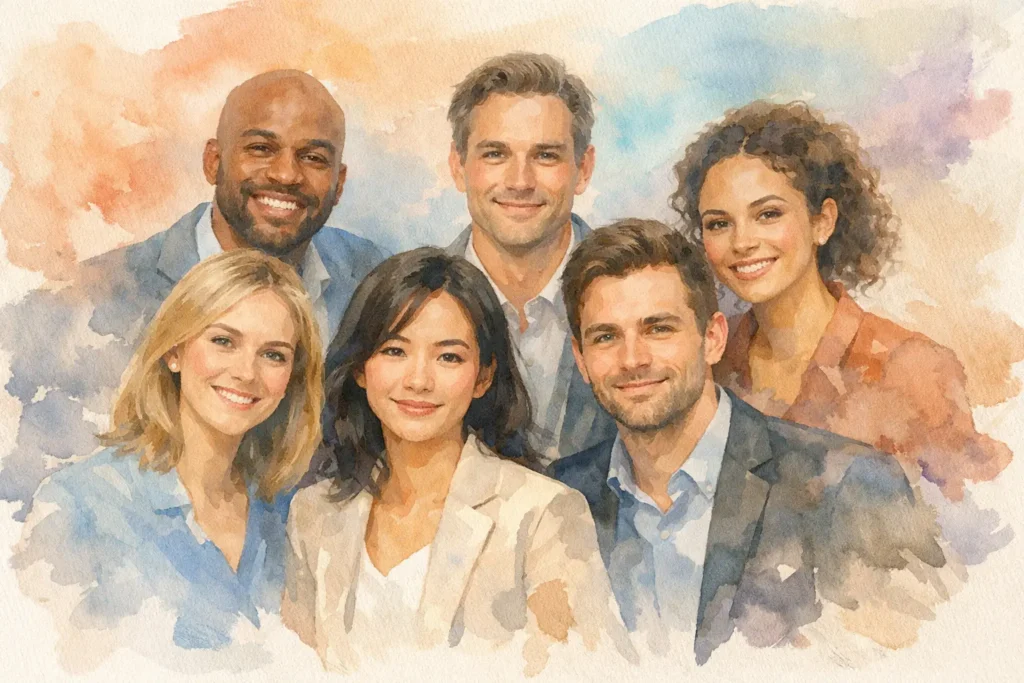
A useful headshot system keeps a few visual choices stable: the lighting approach, background or environmental setting, framing, editing style, and general level of formality. Those decisions allow every image to sit together naturally on a website or in marketing materials. Within that system, each person can still choose clothing that suits their role, posture that feels natural, and expressions that reflect how they actually show up at work.
A financial firm may need a more refined and traditional visual direction. A creative studio may benefit from a brighter, more relaxed office setting. A technology company might want a clean, modern look that feels direct rather than formal. The right approach depends on who needs to trust the team and where the images will appear.
That is why copying another company’s photo style is rarely the best starting point. The better question is: what should a client, candidate, or collaborator understand about us when they see these photos?
Plan the shoot around how the photos will be used
The best office headshots begin before anyone steps in front of the camera. A short planning conversation can prevent the usual problems: inconsistent wardrobe, unclear locations, rushed schedules, and images that do not fit the company’s actual needs.
Start by identifying the primary uses. Website team pages generally need cohesive crops and a consistent background. LinkedIn profiles often benefit from a little more room around the subject. Press and speaking opportunities may call for both vertical and horizontal options. If the images will appear in presentation templates, employee directories, or recruitment materials, those formats should guide the framing from the beginning.
It also helps to decide whether the office itself belongs in the image. An environmental portrait can add context when the workspace is attractive, recognizable, and connected to the brand. A clean conference room, thoughtfully designed lobby, or window-lit workspace may help tell the story of the company. But a busy bullpen, cluttered desk area, or poor mixed lighting can distract from the person.
In those cases, a simple portable setup in the office is often the smarter choice. It keeps the session convenient for employees while producing clean, consistent results. The setting should support the person, not compete with them.
Build a realistic schedule
A team photography day should respect that people have jobs to do. Scheduling employees in short, staggered time blocks keeps the day moving and avoids a line of anxious people waiting outside a conference room.
For a small team, the session can feel relaxed and conversational. Larger organizations benefit from a designated point person who confirms names, tracks arrivals, and keeps the schedule on course. It is also wise to leave some flexibility for executives, client calls, or employees who need a few extra minutes to settle in.
Rushing is one of the quickest ways to make people look uncomfortable. A well-managed process is not about slowing everything down. It is about giving each person enough attention to look present and prepared.
Direction matters more than being naturally photogenic
Most people are not comfortable having a camera pointed at them. They may worry about their smile, their posture, or whether they look serious enough. They may also have had a past photo experience where they received little guidance and were left to guess what to do.
That is not a confidence problem. It is a direction problem.
A professional headshot session should provide clear, simple coaching throughout: where to stand, how to position the shoulders, where to place the hands when they are visible, and how to adjust the chin or expression by small degrees. These details make a meaningful difference on camera, but clients should not have to manage them alone.
Good direction is collaborative rather than controlling. One person may look most credible with a composed, direct expression. Another may come across as warmer and more engaging with a slight smile. The photographer’s job is to help each employee find the version of themselves that feels believable and useful for their role.
Honest feedback is part of that process. If a jacket is bunching, a collar is distracting, or an expression looks forced, it is better to address it in the moment than hope editing will solve it later. The result should look polished, not overworked.
Wardrobe should support the company and the individual
There is no universal office-headshot dress code. A matching team uniform can work for some brands, but it can also feel unnatural if employees do not normally dress that way. More often, a simple set of wardrobe guidelines creates better results.
Encourage clothing that fits well, feels appropriate for the role, and aligns with the company’s usual level of formality. Solid colors and subtle textures generally photograph well. Extremely busy patterns, tiny checks, highly reflective fabrics, and large logos can pull attention away from the face.
It is useful to coordinate without over-coordinating. If the team will be photographed against a warm neutral background, for example, it may help to avoid having everyone wear the same pale beige tone. A little range in color and texture makes a team page feel human while the lighting and composition provide the cohesion.
For employees who are unsure what to wear, offering a few practical examples ahead of time removes unnecessary stress. The goal is to help people arrive ready, not to turn preparation into another project.
Think beyond the first delivery
Office headshots have a longer life when they are planned as part of an ongoing visual standard. A company that photographs its team once but has no process for new hires will quickly return to a mismatched collection of images.
Keep notes on the lighting setup, background, lens perspective, cropping, and editing approach. That makes it possible to photograph future employees in a way that matches the existing team. For companies that hire frequently, setting periodic headshot days can be more efficient than waiting until the website needs another overhaul.
It is also worth giving employees files that work for their own professional use, within the company’s brand guidelines. When a person updates LinkedIn with a photo that matches the organization’s website, the brand becomes more consistent across the places people actually research and connect.
A headshot is a small piece of a larger professional story. When people feel supported during the session and recognized in the final image, they are more likely to use that image with confidence – and that confidence is exactly what clients, candidates, and collaborators should see first.